How to register a company in Tanzania using BRELA Online Services (BOS) portal (Formerly called BRELA ORS) – 2026 Update
A comprehensive guide to legally establishing a Limited Company in Tanzania through the Business Registrations and Licensing Agency (BRELA)
Starting a business in Tanzania has become significantly more streamlined with the digitalization of government services. The digital registration services system of the Business Registrations and Licensing Agency (BRELA), the executive agency responsible for business formalization in Tanzania, has undergone a major transformation.
As of 2026, the old Online Registration System (ORS) has been officially replaced by the more robust and integrated BRELA Online Service (BOS). This update is not just a change in name but a complete overhaul designed to improve efficiency, transparency, and the ease of registering business in Tanzania.
In this guide, we provide a comprehensive, step-by-step walkthrough of the registration process on the new BOS platform, incorporating all the latest 2026 requirements and features.
1. BRELA Online Services (BOS) – Introduction
The BRELA Online Service (BOS) is the modernized digital portal developed and operated by the Business Registrations and Licensing Agency (BRELA) to handle all business-related registrations and filings in Tanzania. It serves as a one-stop-shop for:
- New Company Registrations
- Business Name Registrations
- Trade and Service Marks
- Patents and Industrial Designs
- Post-registration filings (Annual Returns, Changes in Directors, etc.)
The BOS platform is designed to be more user-friendly and integrated with other government systems like NIDA (for identification) and TRA (for tax details).
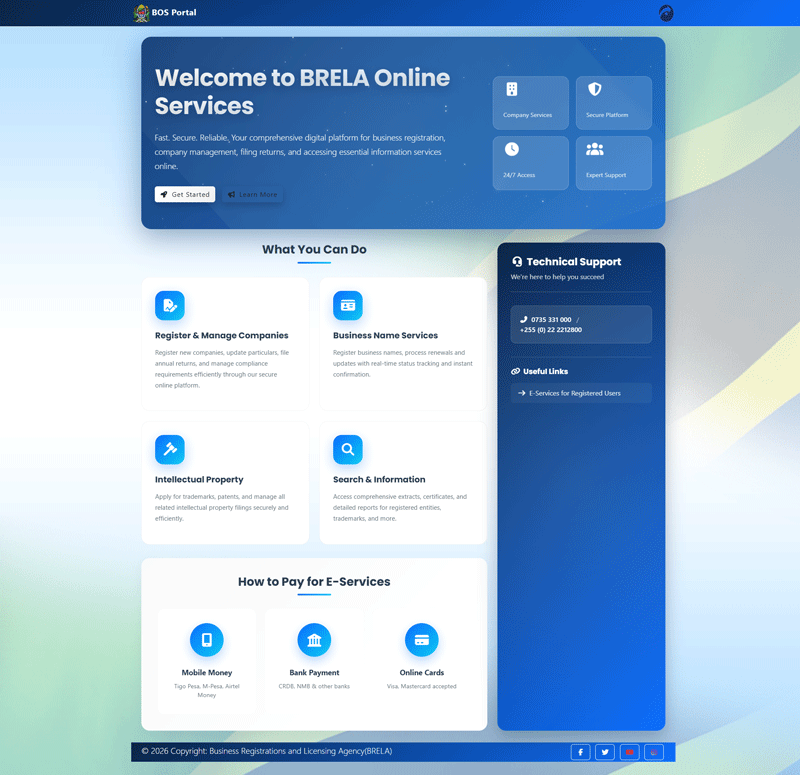
3. Key Updates in 2026: From ORS to BOS
If you registered a company before 2026, you likely used the Online Registration System (ORS) that has been operational from 2018 to early 2026. ORS has been in use for over 8 good years.
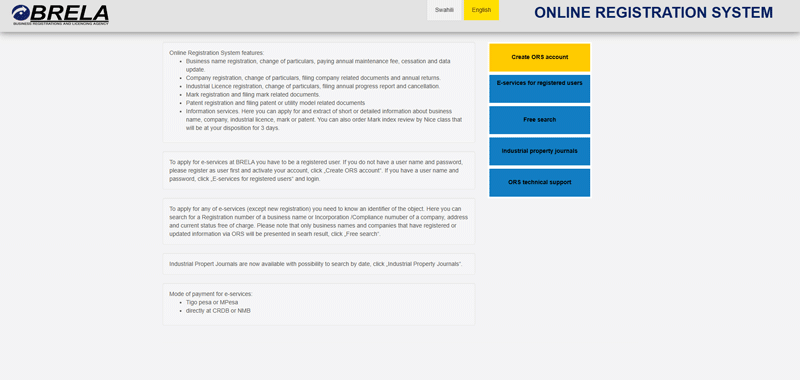
Major Changes in the 2026 Update:
The transition to **BOS** brings several significant improvements:
- Unified Data Entry: Unlike the old ORS, where you often had to repeat information across different forms, the BOS platform uses a “Single Entry” model. You input details for a person (Director or Shareholder) once, and the system populates it throughout the application.
- Enhanced NIDA Integration: The link with the National Identification Authority (NIDA) now requires verification process which removes the possibility of someone’s NIDA number to be used in setting up a business without his awareness.
- Real-Time Dashboard: The new interface provides a much clearer view of “Pending Applications,” “Drafts,” and “Registered Entities,” allowing directors to monitor their company’s status in real-time.
- Improved Security: The system now includes two-factor authentication and provides automatic email/SMS notifications to all company members whenever a change is initiated.
- Integrated Name Clearance: The name search and reservation process is now allows inputing 3 names (with first name being first priority and so forth).
4. Pre-requisites for Company Registration in Tanzania
Before you log into the BOS platform, ensure you have the following requirements ready. Missing any of these will delay your application.
A. Identification Requirements
- For Tanzanian Citizens: A valid National Identification Number (NIN) from NIDA is mandatory for all directors and shareholders. The system will verify your name and date of birth directly with NIDA.
- For Foreigners: A scanned copy of a valid Passport is required.
- For Corporate Entities: If another company is a shareholder, you will need its Certificate of Incorporation and a Board Resolution authorizing the investment.
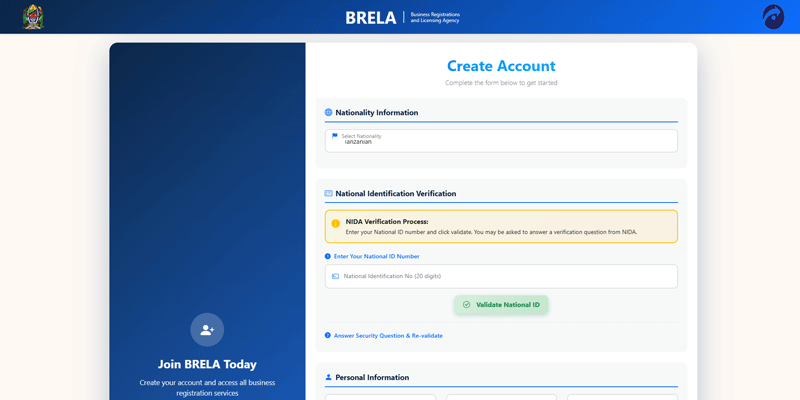
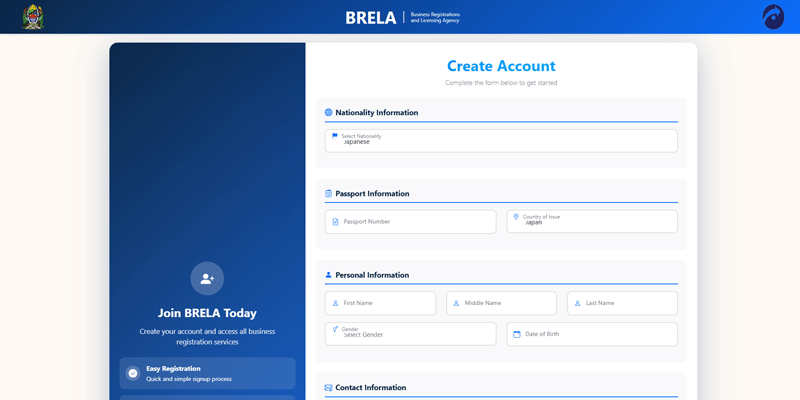
B. Director Requirements
- All directors must have a **Taxpayer Identification Number (TIN)** from the Tanzania Revenue Authority (TRA).
- During the application, you will need to provide the director’s physical address, email, and phone number.
C. Company Information
- **Proposed Company Name:** Have at least 2-3 variations in case your first choice is taken.
- **Company Type:** Decide if it is a Private Company Limited by Shares, Public Company, or Company Limited by Guarantee.
- **Registered Office:** You must provide the physical location (Region, District, Ward, Plot/House Number) and postal address of the company in Tanzania.
- **Objects of the Company:** A clear description of the business activities you intend to carry out.
D. Documentation
- **Memorandum and Articles of Association (MAA):** While the system generates some details, you are still required to upload a signed and witnessed MAA.
- **Consolidated Form:** This is a system-generated summary that must be downloaded, signed by all directors, and re-uploaded during the final stages of the application.
5. Step-by-Step Guide to Registering a Company on BRELA BOS
Step 1: Create a BRELA BOS Account
Visit the official BRELA Business Services (BOS) portal at bos.brela.go.tz. Click on “Sign Up” and choose either the **Local** (using NIDA NIN) or **Foreigner** (using Passport) registration path. Once registered, log in using your credentials.
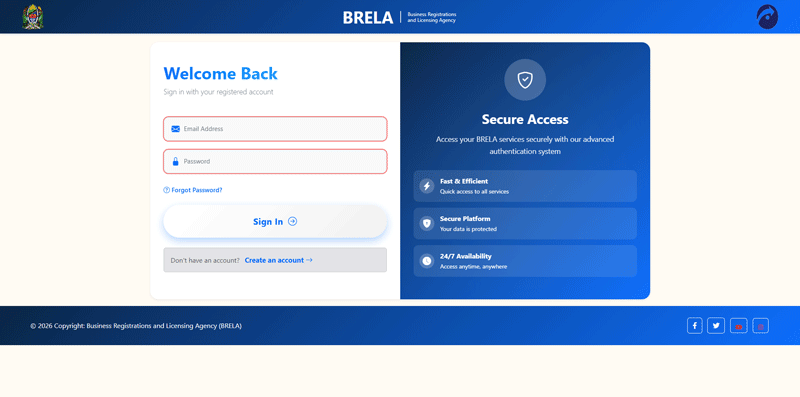
[insert image brela-bos-log-in-page.png]
After signing in, you will be greeted by your personal dashboard where you can manage all your applications and registered entities.
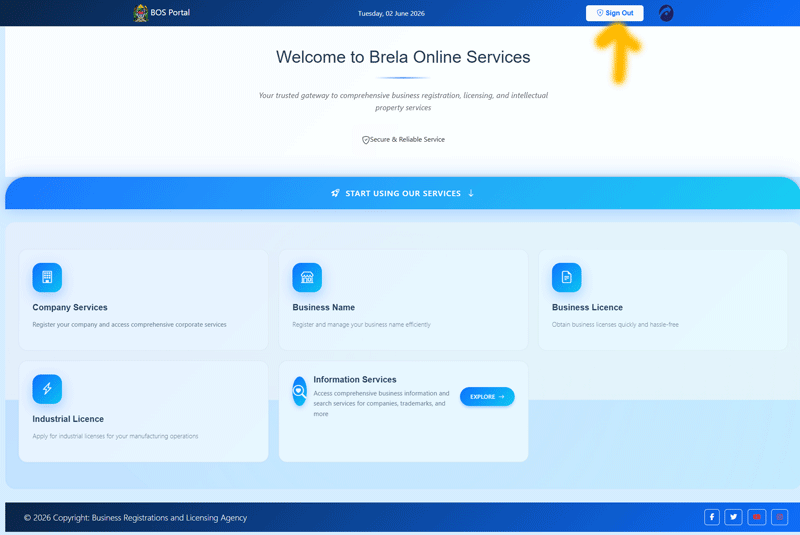
[insert image brela-bos-page-loaded-after-signing-in.png]
Step 2: Name Search and Reservation
Before starting the full registration, you must ensure your desired name is available. In the BOS system, you can perform a name search and reserve it for a specific period (usually 30-60 days). This prevents others from taking the name while you prepare your documents.
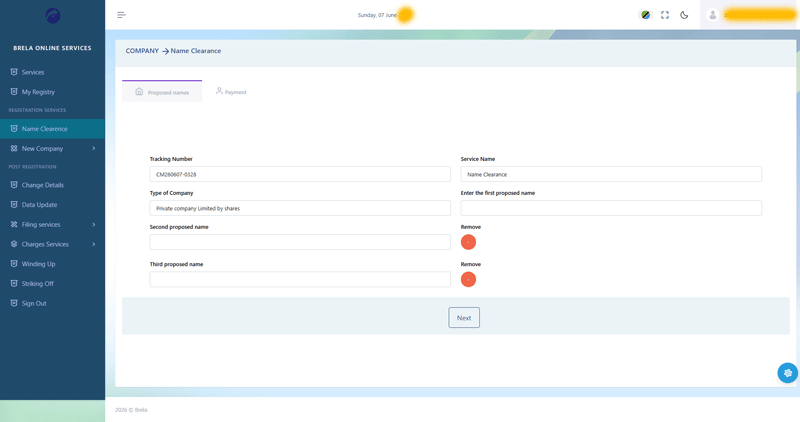
Step 3: Starting a New Company Registration Application
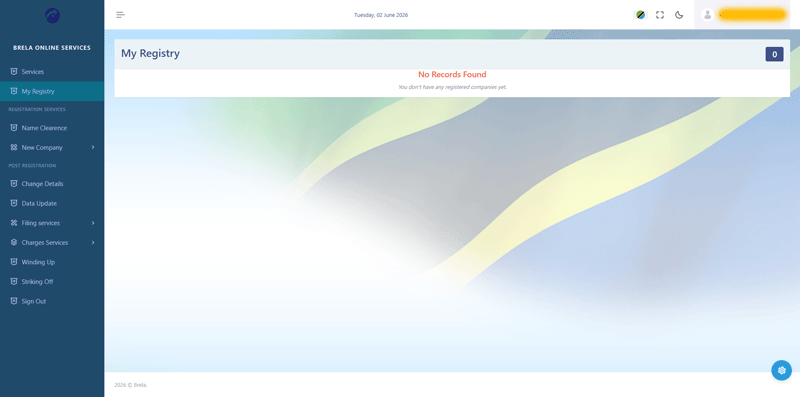
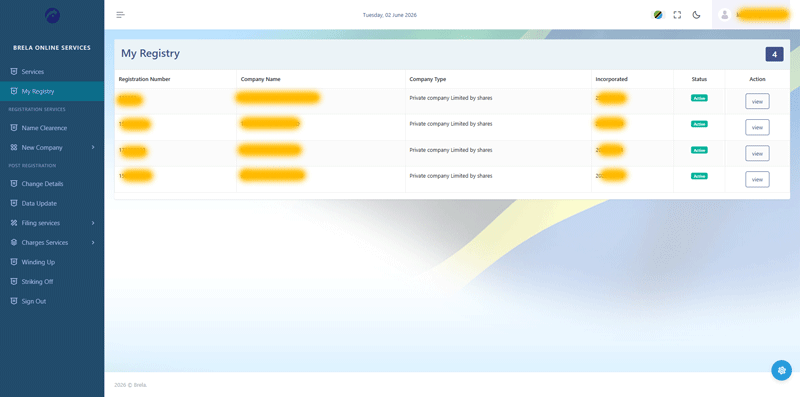
On your dashboard, navigate to “New Application” and select “Company Registration.” You will be presented with a blank initial page where you begin the formal process.
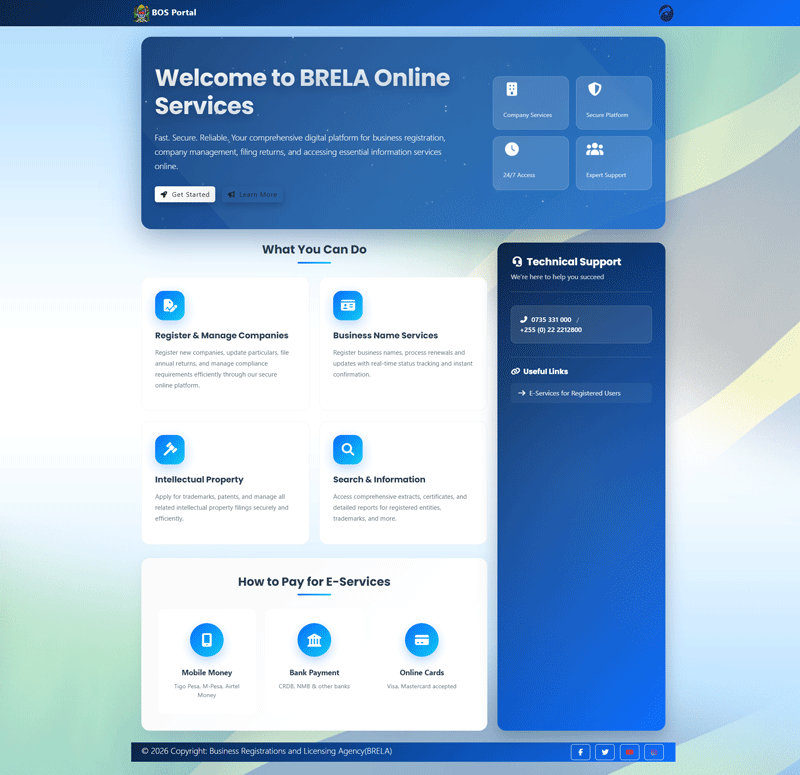
[insert image brela-bos-company-registration-initial-page-blank.png]
*Caption: The starting point for a new company registration application.*
Step 4: Entering Company Details and Objectives
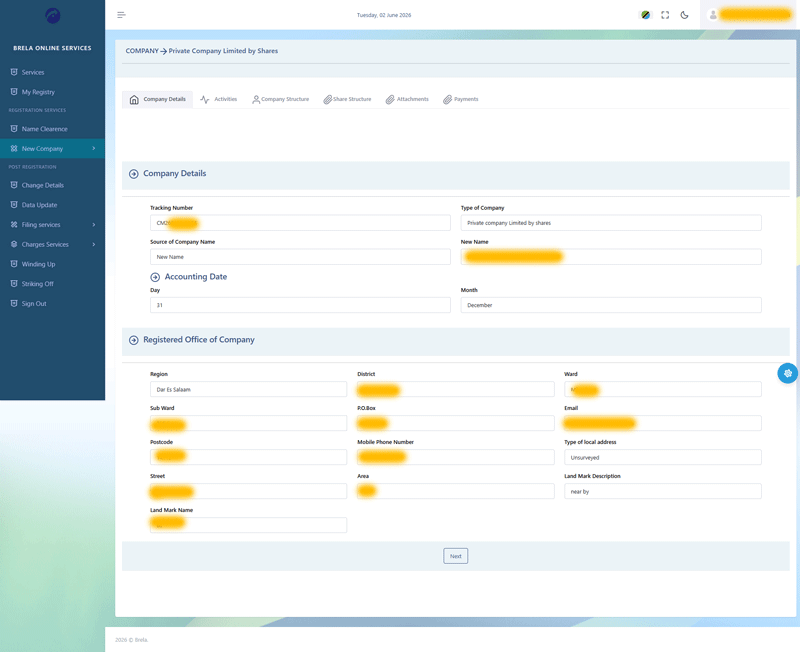
In this section, you will provide the core details of your company, including its name (if already reserved), type, and registered office address.
[insert image brela-bos-company-registration-company-details.png]
*Caption: Entering the basic company details.*
Next, you must specify the **Business Activities (Objectives)**. The system uses the ISIC (International Standard Industrial Classification) codes to help you categorize your business accurately.
[insert image brela-bos-company-registration-activities.png] 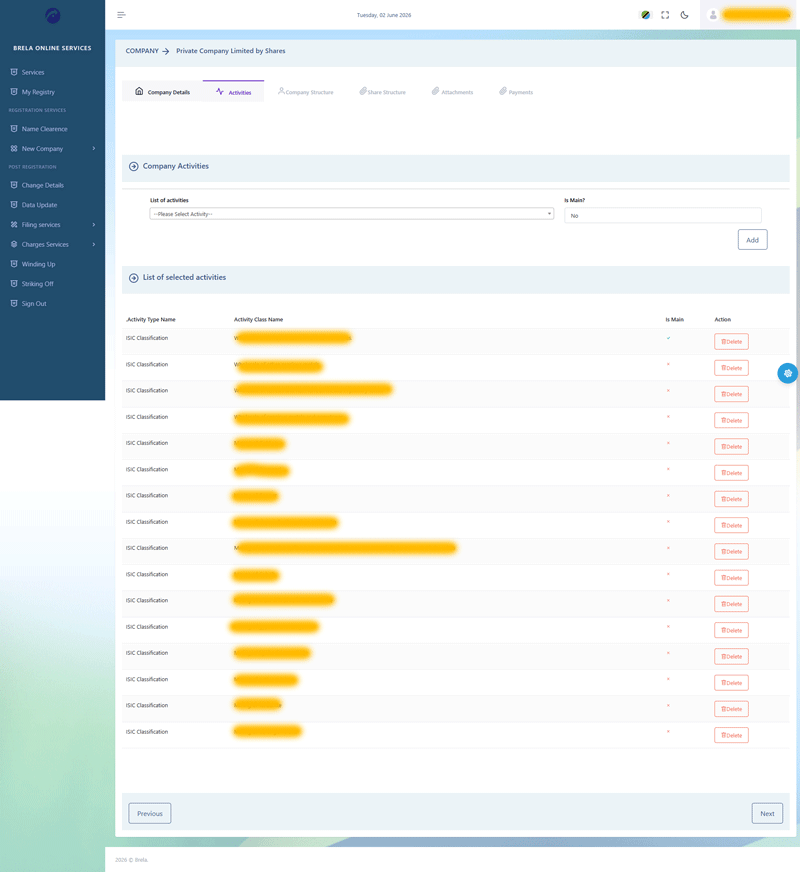
*Caption: Selecting business activities and objectives.*
Step 5: Recording Members (Directors, Shareholders, Secretary)
This is a critical stage. You will enter the details of all directors, shareholders, and the company secretary. Thanks to the 2026 update, if a member is already in the system (linked via NIDA or a previous application), their details will auto-populate.
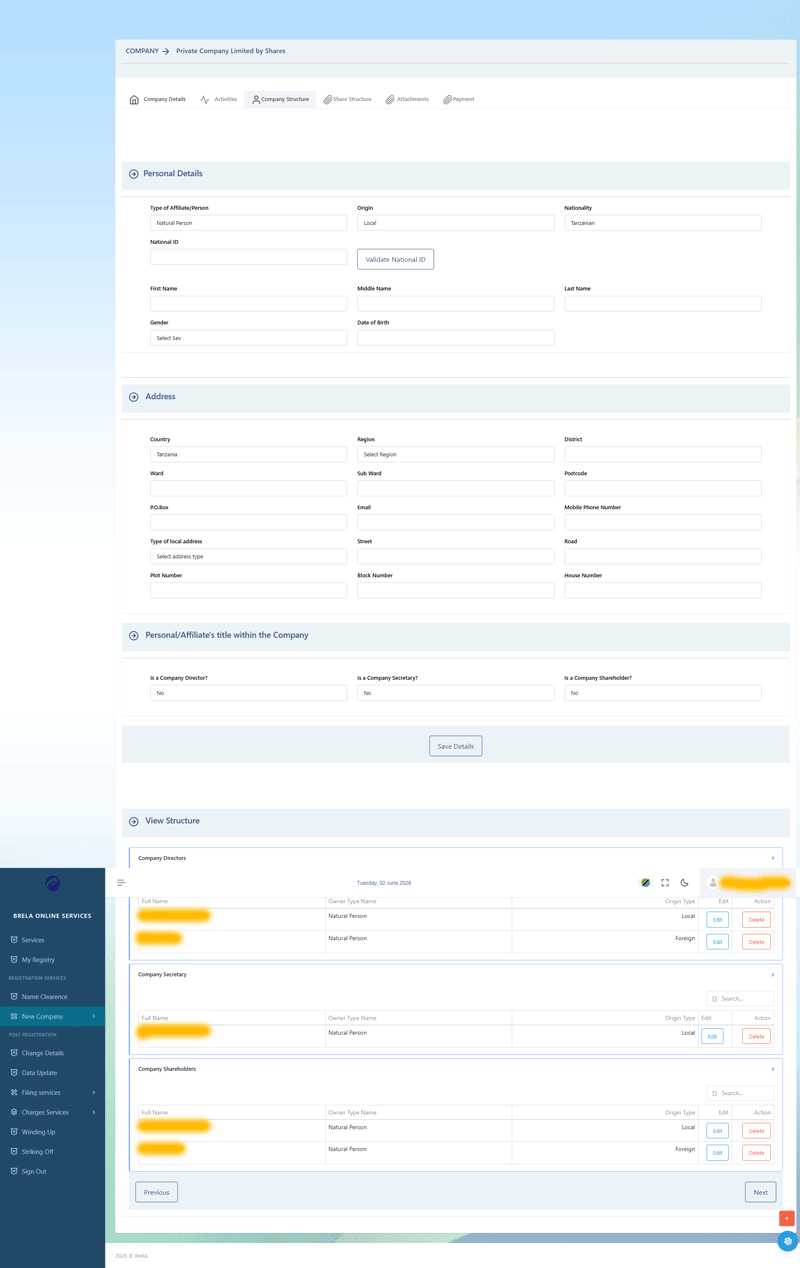
[insert image brela-bos-company-registration-members-recording-page.png]
*Caption: The members recording page where you list all key personnel.*
For each member, you will need to provide detailed information, including their role (Director/Shareholder), TIN, and residential address.
[insert image brela-bos-company-registration-shareholders-details.png] 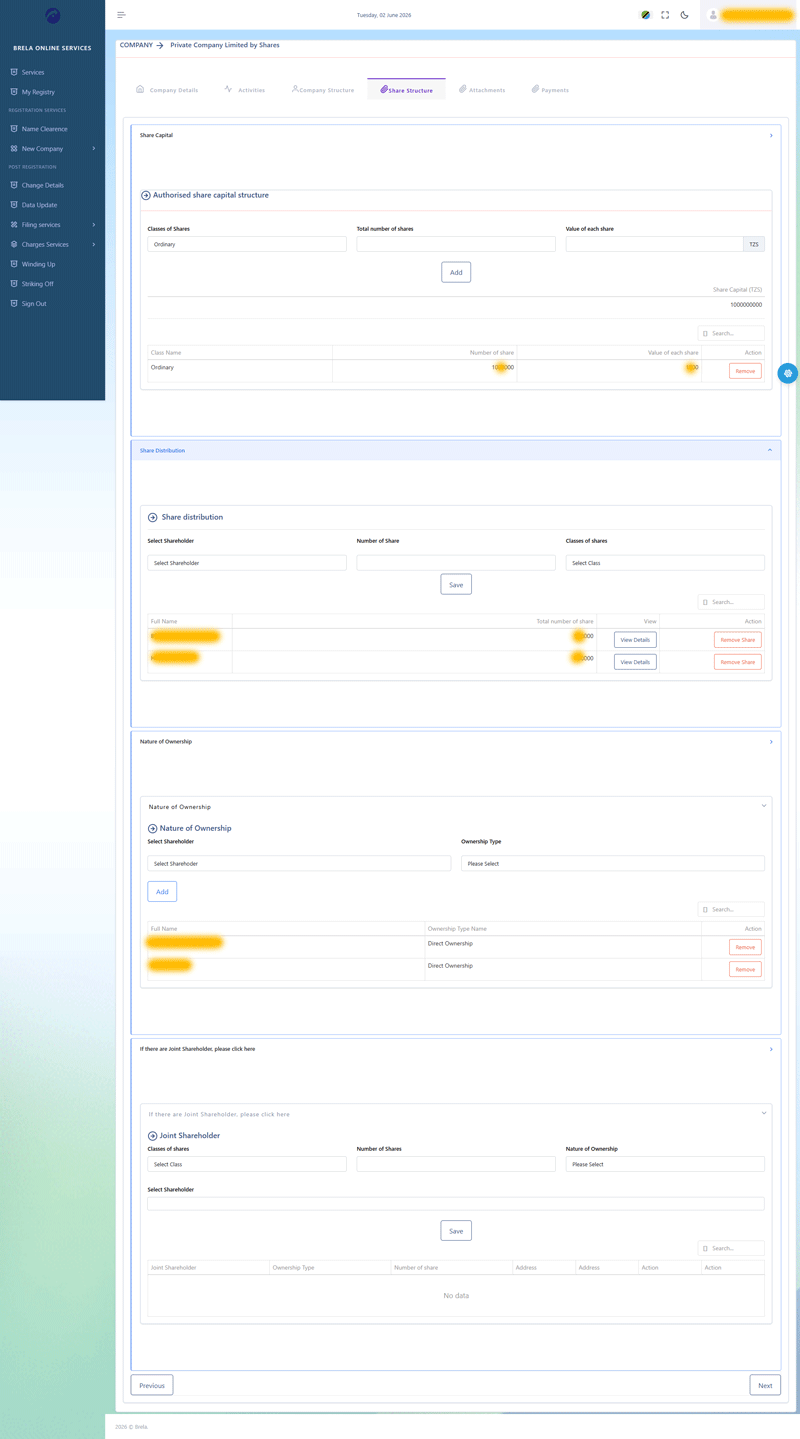
*Caption: Providing detailed information for shareholders and directors.*
Step 6: Setting Up Share Capital and Structure
Define your company’s share capital. You will need to specify the total number of shares, the value per share, and how many shares are allotted to each shareholder.
[insert image brela-bos-company-registration-share-structure-input-page.png] 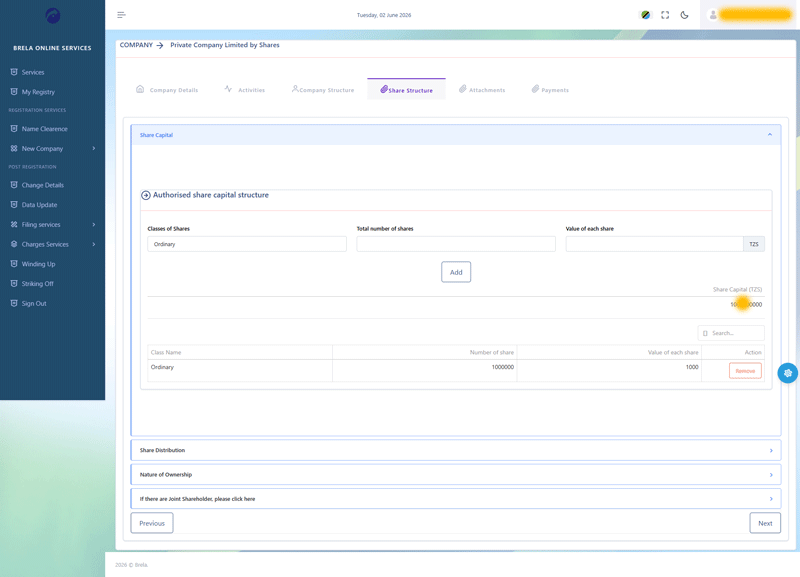
*Caption: Inputting the company’s share capital and allocation.*
Step 7: Uploading Required Documents (MAA, IDs, etc.)
In this stage, you must upload scanned PDF copies of the necessary documents. This typically includes the signed Memorandum and Articles of Association (MAA) and identification documents for foreign directors.
[insert image brela-bos-company-registration-attachment-page.png] 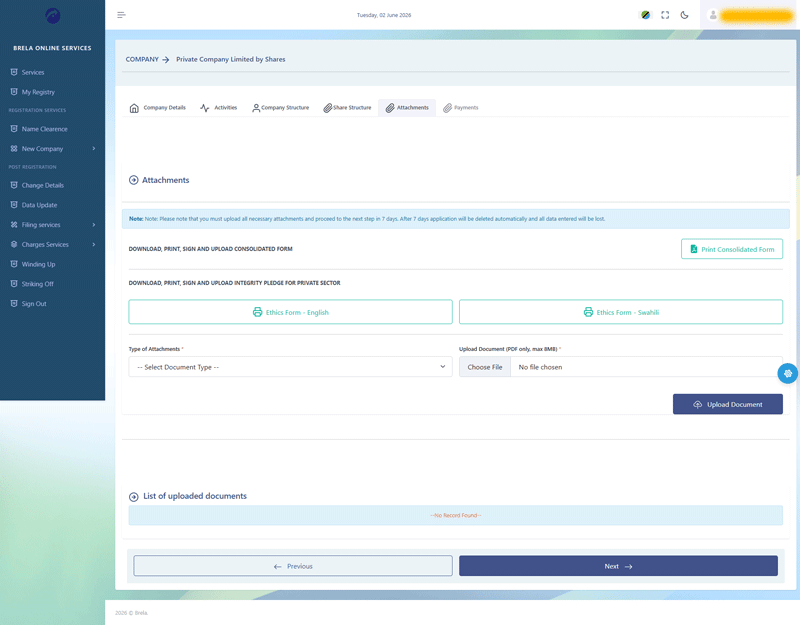
*Caption: The document attachment page.*
Step 8: Generating and Signing the Consolidated Form
Once all details are entered, the system will generate a **Consolidated Form**. This form acts as a summary of your entire application.
1. Download the form.
2. Ensure all directors and shareholders sign it.
3. Scan the signed form and re-upload it to the system.
[insert image brela-bos-company-registration-full-details.png] 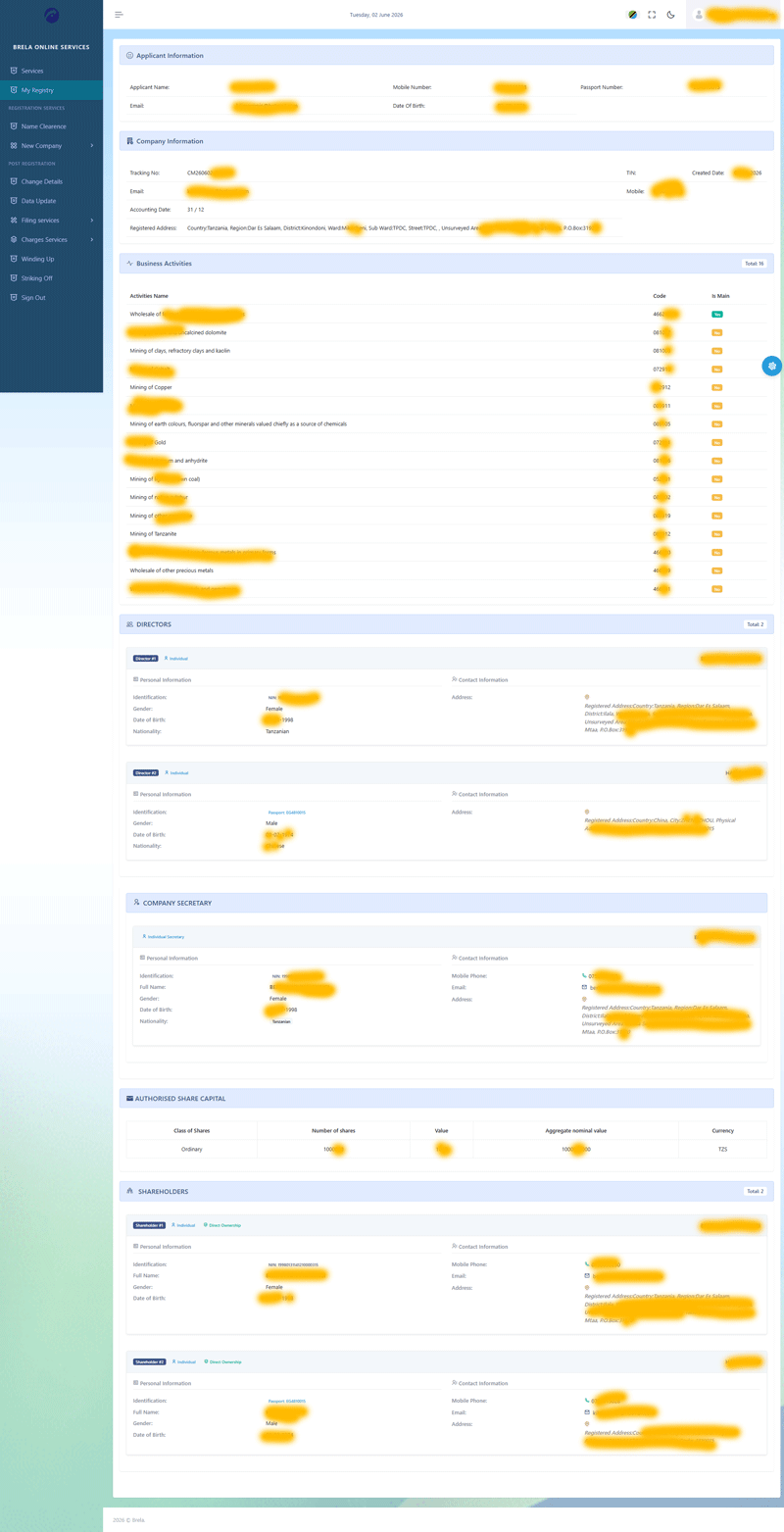
*Caption: Reviewing the full application details before final submission.*
Step 9: Payment of Registration Fees
After submitting the form, the system will generate a **Control Number**. You can use this number to pay the registration fees via mobile money (M-Pesa, Tigo Pesa, etc.) or through a bank (NMB, CRDB).
[insert image brela-bos-company-registration-controlnumber-generation-page.png] 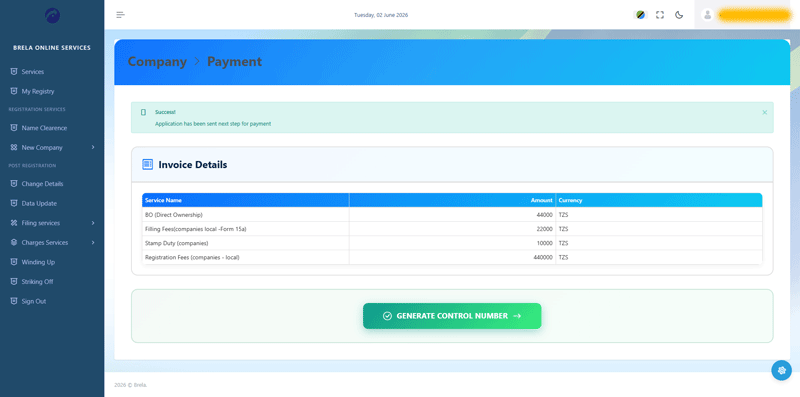
*Caption: Generation of the payment control number.*
[insert image brela-bos-company-registration-payment-page.png] 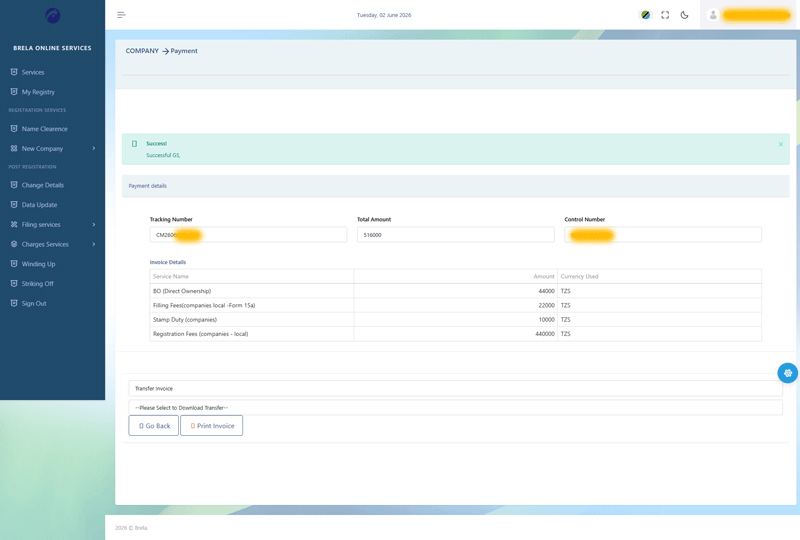
*Caption: The payment interface where you select your preferred payment method.*
Step 10: Tracking Application Status and Downloading Certificate
After payment, your application is sent to a BRELA officer for review. You can track the progress of your application through the “Status List” or “Pending Applications” section of your dashboard.
[insert image brela-bos-company-registration-status-list-page.png] 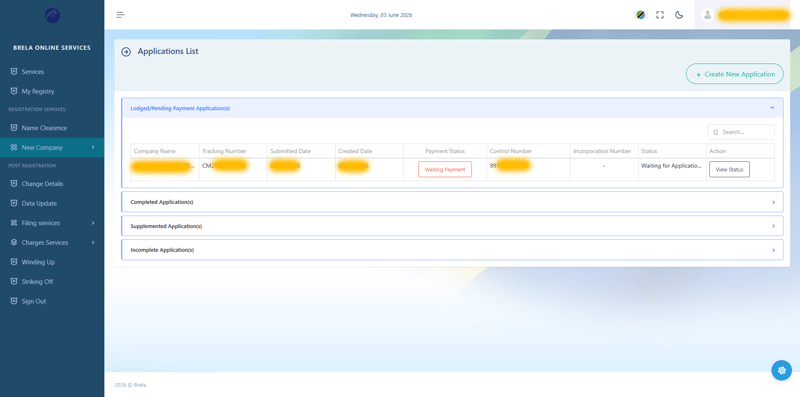
*Caption: Tracking the status of your various applications.*
[insert image brela-bos-company-registration-pending-applications.png] 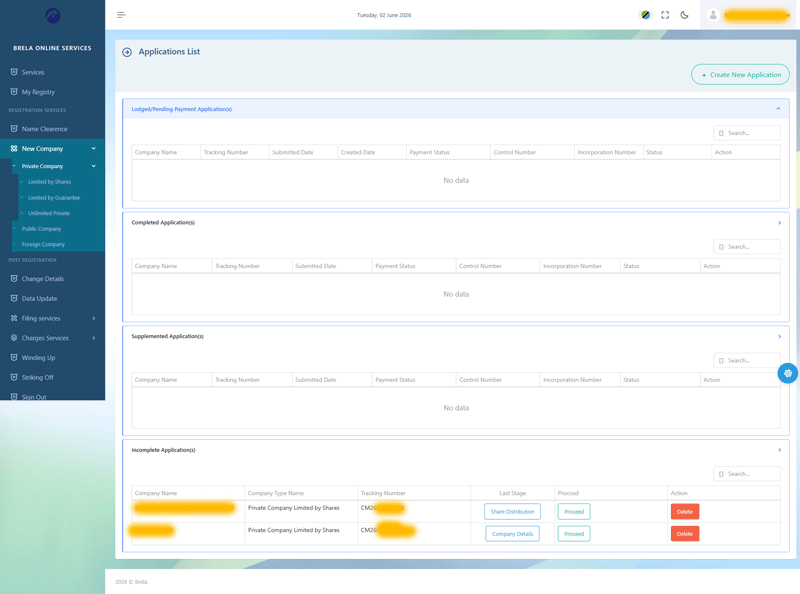
*Caption: Viewing applications that are currently under review.*
Once approved, your **Certificate of Incorporation** and **Certified MAA** will be available for download directly from your BOS account.
6. Estimated Cost of Company Registration (2026)
The registration fees in Tanzania are primarily determined by the company’s nominal share capital. Below is an estimate of the fees as of 2026:
| Nominal Share Capital (TZS) | Registration Fee (TZS) |
| :— | :— |
| 0 – 1,000,000 | 95,000 |
| 1,000,001 – 5,000,000 | 175,000 |
| 5,000,001 – 20,000,000 | 260,000 |
| 20,000,001 – 50,000,000 | 345,000 |
| Above 50,000,000 | 440,000 |
**Additional Fees:**
* **Name Reservation:** TZS 50,000
* **Filing Fees:** Approximately TZS 66,000
* **Stamp Duty:** TZS 6,200 (for MAA)
* **Service Charges:** Minimal portal transaction fees may apply.
7. Post-Registration Compliance and Next Steps
Obtaining your Certificate of Incorporation is the first step. To legally operate, you must complete the following:
A. Obtaining TRA TIN for the Company
Once incorporated, you must visit the Tanzania Revenue Authority (TRA) with your certificate to obtain a **Company TIN**. Even if directors have personal TINs, the business entity requires its own for tax purposes.
B. Applying for a Business License
Depending on your business activity, you will need either a **Class A License** (issued by BRELA for major sectors) or a **Class B License** (issued by the local Municipal Council).
C. Social Security Registration
By law, every employer in Tanzania must register with:
* **NSSF (National Social Security Fund):** For employee pension contributions.
* **WCF (Workers’ Compensation Fund):** To provide insurance against workplace injuries.
D. Filing Annual Returns
Every company is required to file an **Annual Return** with BRELA every year within 28 days of the anniversary of its incorporation. This is done through the same BOS portal.
8. Frequently Asked Questions (FAQs)
**Q1: How long does the registration process take in 2026?**
* With the new BOS system, if all documents are correct and fees are paid promptly, the process typically takes between **2 to 5 working days**.
**Q2: Can a foreigner register a company alone?**
* Yes, a foreigner can own 100% of a Tanzanian company in most sectors, though some regulated industries (like mining or shipping) require a local partner.
**Q3: Is the NIDA NIN mandatory for all?**
* It is mandatory for all Tanzanian citizens. Foreigners use their Passport details instead.
**Q4: Can I use the old ORS login for the new BOS?**
* In most cases, you will need to create a new profile on the BOS platform, though your existing companies should be linkable to your account using their registration numbers.
9. Conclusion
The transition from BRELA ORS to the **Business Online Service (BOS)** represents a significant leap forward in Tanzania’s digital economy. While the process requires careful attention to detail—especially regarding NIDA and TRA integrations—the new system is faster and more transparent than ever before.
By following the steps outlined in this 2026 update, you can ensure your company is registered correctly, allowing you to focus on growing your business in the vibrant Tanzanian market.
INTRODUCTION: The procedures to register a company in Tanzania differs between a local company and a foreign company. This article is specific for registering a local company in Tanzania using BRELA ORS. NB: We offer business consultancy services and we can help you to register a company in Tanzania. Click here to contact us.
1. Collect required information
Shareholders of the new company must have National Identification Number (NIN) from NIDA. Directors must have National Identification Number (NIN) from NIDA and Tax payer Identification Number (TIN) from TRA. Non citizens must have passport number and copies from their respective countries.
NB: Before starting the registration make sure that you have compiled the following information:
Company Information:
Company Name: (The Company Name has to be unique. If you provide a company name that is similar to a registered company then your application will be returned to you for rectification.)
P. O. Box:
Email address:
Phone number:
Business Activities according to ISIC Activity Codes: Learn more about ISIC Activity Codes adopted by BRELA.
Number of shares:
Price per share:
Office location: (Region, District, Ward, Street, Block number, Plot number, and House number if the office location is surveyed.
or
Region, District, Ward, Place and a nearby landmark preferably a popular place like school, government office, bank bank, bus stand, hospital, etc. if the office location is un-surveyed.)
Information of each Director & Shareholder:
Full Name: (First Name, Middle Name and Last Name).
Nida Number: (Foreign Directors will need to provide passport numbers and certified copies of their passports.)
Date of Birth:
TIN number: (Ensure that name of the Director in the NIDA card is similar to his/her name in the TIN certificate. If they differ then the Director will need to go to TRA to rectify the discrepancies. Foreign Directors don’t need to have TIN numbers.)
Email Address: email address of one director should not be similar to email address of another director.
Phone Number:
P. O. Box: (Foreign Directors don’t need P. O. Box. They will need to provide their foreign residential address and Zip Code.)
Number of Shares Subscribed to:
Residential Address of Local Director: (Region, District, Ward, Street, Block number, Plot number, and House number if the office location is surveyed.
or
Region, District, Ward, Place and a nearby landmark preferably a popular place like school, government office, bank bank, bus stand, hospital, etc. if the office location is un-surveyed.)
Residential Address of a Foreign Director: (Country, City, Zip code, Street, Area name, Area specific details including block number, plot number and house number if any)
2. Navigate to BRELA’s ORS url
Open your browser and navigate to https://ors.brela.go.tz

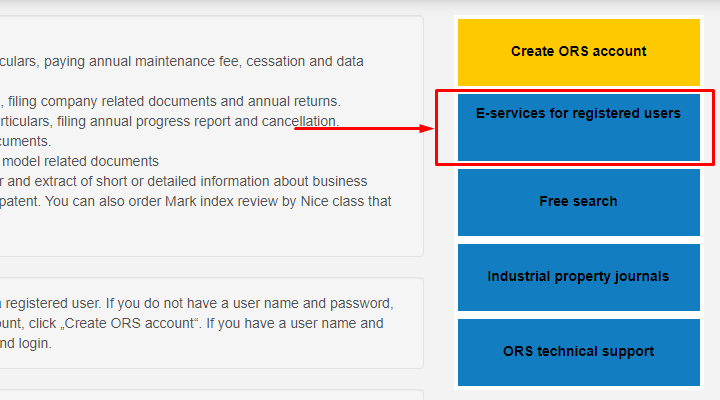
3. Click on “E-services for registered users”
Click second option from the top, i.e. E-services for registered users
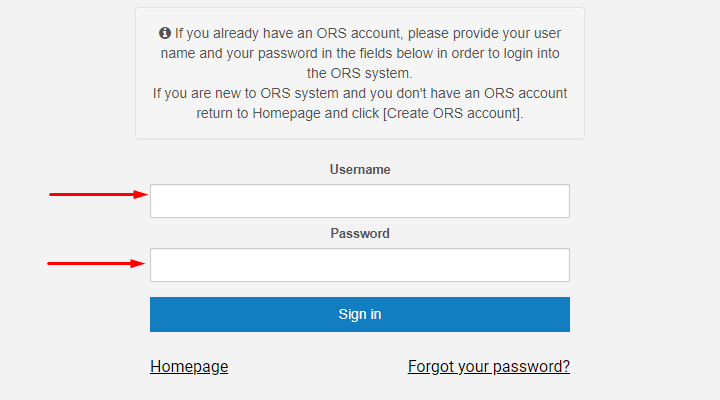
4. Sign in to BRELA Online Registration System (ORS)
Input your username and password and click sign in.
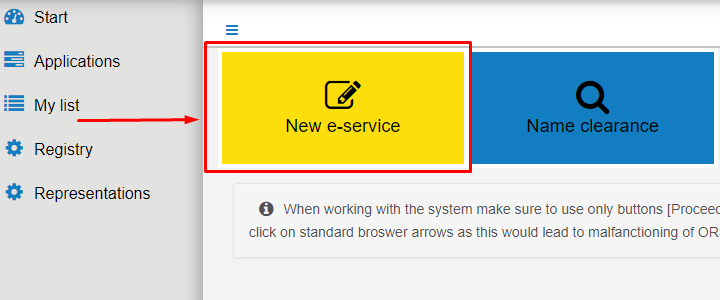
5. Click new e-service to proceed
Click new e-service button. It’s the yellow button.
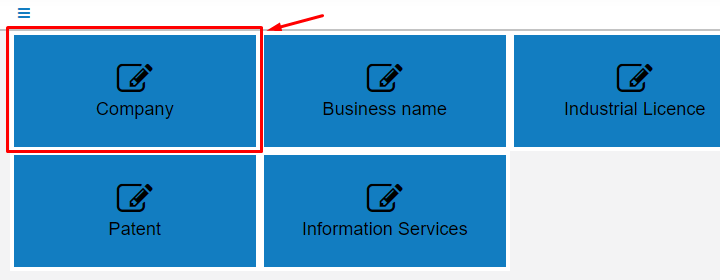
6. Click Company
Select company to tell the system that you want to register a company.
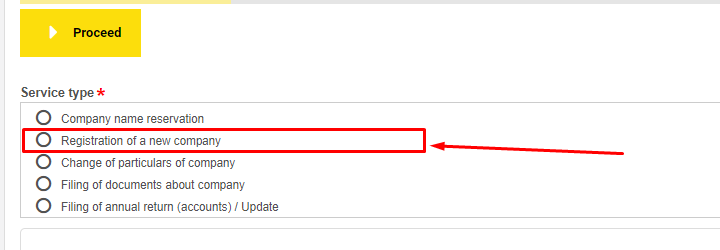
7. Select Registration of a new company
You have five options, to reserve a company name, to register new company, to change particulars of a company, to file documents about a company and to file annual return /accounts and updating a company information.
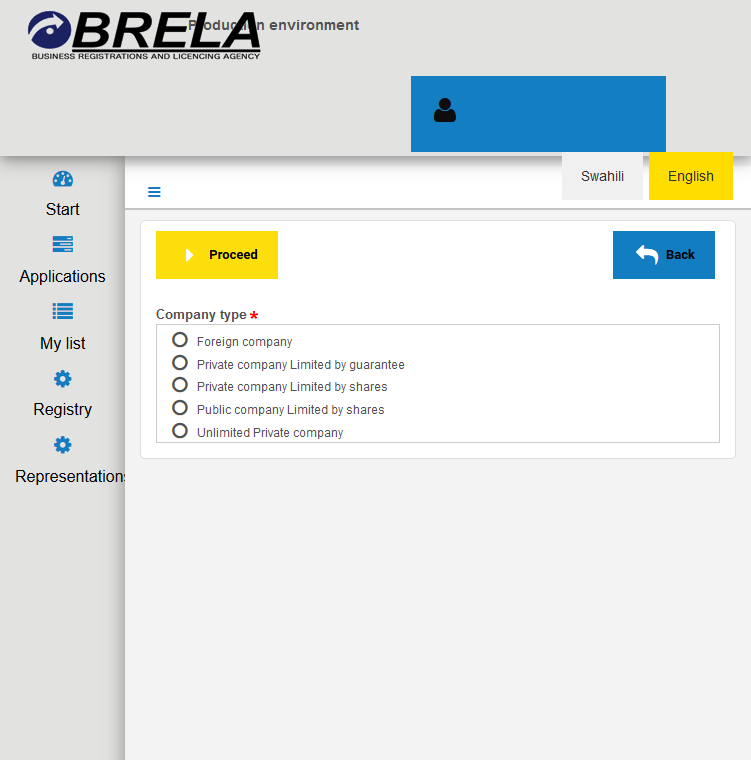
8. Select Private Company Limited by Shares
You can register a company as foreign, private limited by guarantee, private limited by shares,public limited by shares or unlimited company. In the company type select the type eg. Private Company Limited by Shares and click Proceed.
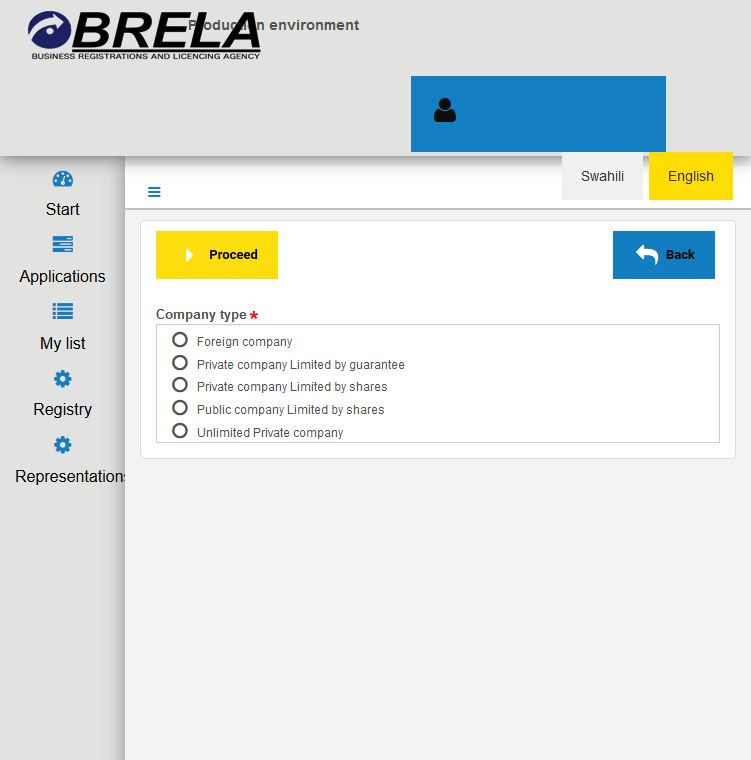
9. Complete the form
Fill in the form. For every entry remember to click Save to avoid unexpected data loss. On the Applicant section fill in Representation statement (Secretary/Director/Agent). If applicant can update data in ORS click Can update data in ORS button. On the information about company section fill in the Accounting date and the Company name.
Fill all fields in the section Principal place of business/Registered office/Registered office in Tanzania. In the Business activity section click Add to select your business activities/objectives according to ISIC Classification. On the Directors section click Add and add at least two directors.
On the company secretary section fill in the information of the company secretary. On the Authorised Share Capital section select either ordinary or other. On the Classes of shares click Add and specify the Number of shares and Value. On the Shareholders section click Add and fill in Shareholder information.
On the Number of shares taken specify the number of shares for each shareholder by selecting the shareholder in the Select shareholder from the list and then select the class from Select class of shares from the list and then click Add shareholder to the table below button.
On the Persons who can update data in ORS section specify the person(s) who can update data in the system. If Directors/Shareholders can update data in ORS click Can update data in ORS in each Director/Shareholder information block and click Proceed.
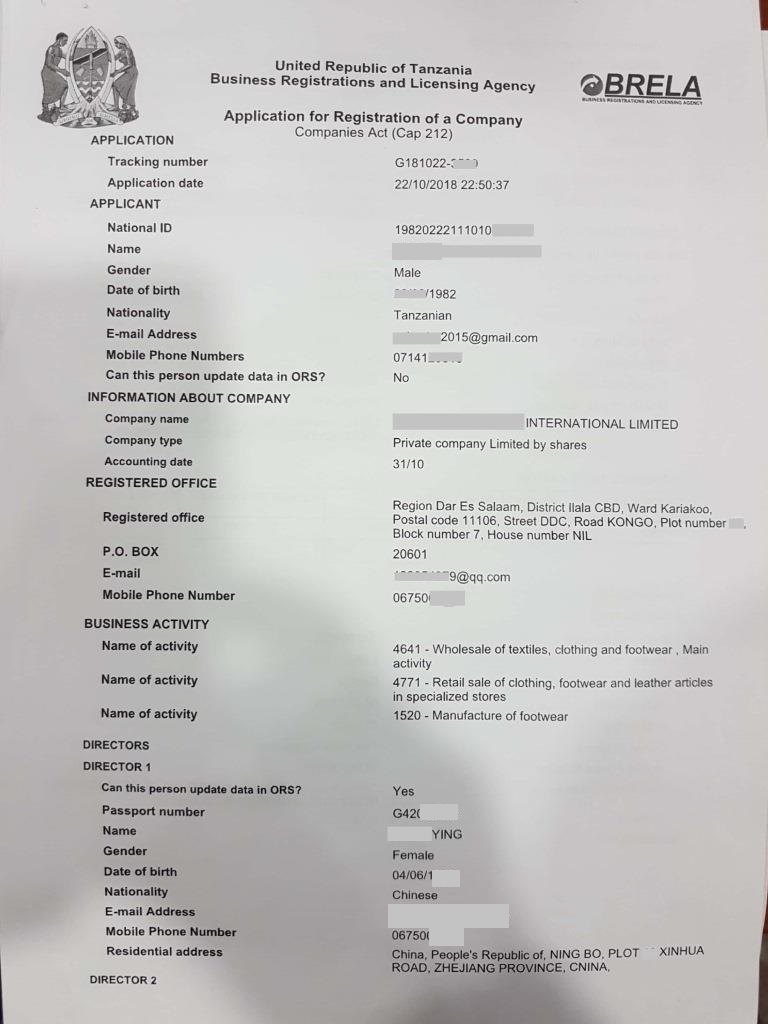
10. Get consolidated form
The system will generate Consolidated form. Wait for it and download it once it is ready.
11. Sign and date the consolidated form
Sign the downloaded form, indicate the current date and scan it.
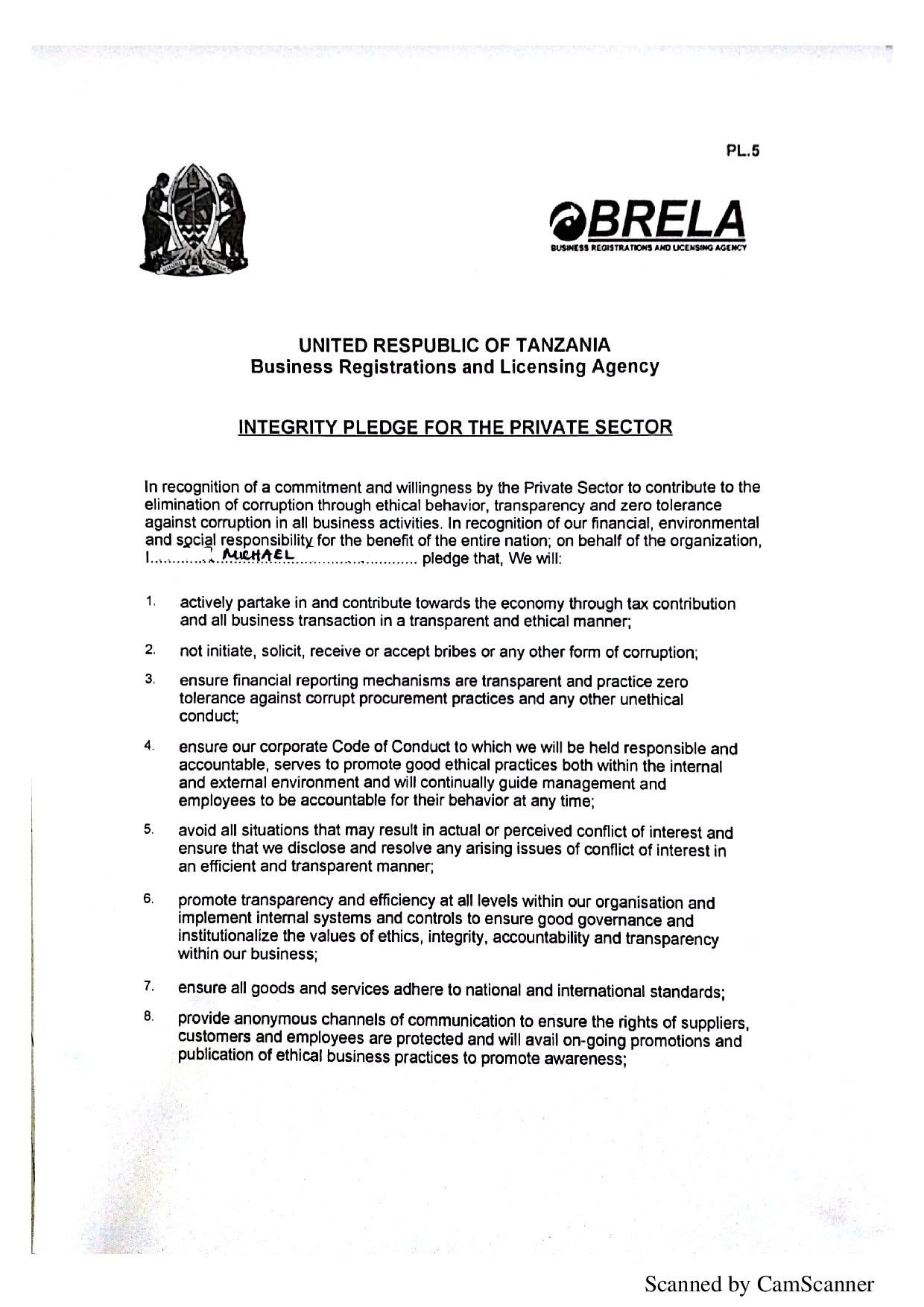
12. Get the integrity form
Download the Integrity form, sign and stamp it.
13. Scan and upload the required documents
Scan and upload signed and dated Consolidated Form, Integrity Form and Memorandum & Articles of Association. Click Proceed.
14. Effect the payment
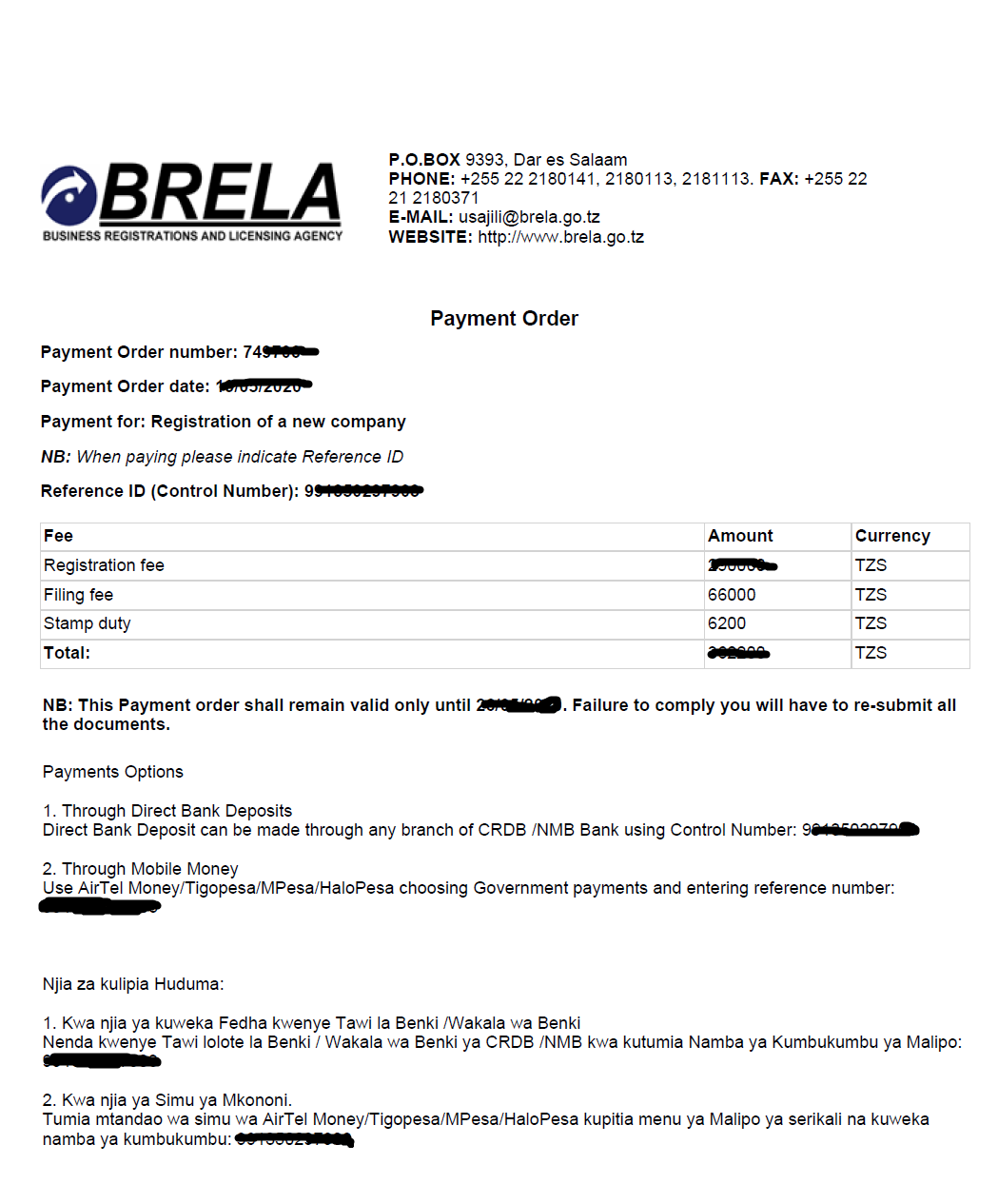
On the payment page, select Payment mode and then click Start payment. Wait for the Control number/Invoice to be generated and make payment. Click on the View or Download button to view the Payment information and instructions. Once you have made the payment your application is automatically submitted to BRELA for processing.
At this point, the application will be moved to applications page that you can open by clicking applications in the left menu. An incomplete application can be accessed by clicking the my list menu item in the left menu.
Requirements
- Cash (TZS 170,000 – 520,000) BRELA registration fee based on the Capital of the Proposed Company.
- Cash (TZS 150,000 – 500,000) for expenses to be paid to lawyers and stationeries.
- Laptop or desktop computer connected to working internet.
- NIDA number for a local person or Passport number for a foreigner
How to check status of your application?
You can retrieve your application through the Applications menu in the left menu links of the Online Registration System (ORS).
The Application will show status in the column titled “Is Finished.” The status here can be:
Yes meaning that the application is through and you can download or print certificate.
No with Process and Enter Recommendation in the “Task Name” column meaning that your application is waiting further processingby BRELA officer.
No with “Make Final Decision”in the “Task Name” column meaning that your application is in the final stages of approval by BRELA.
So you should wait for the status in the “Is Finished” column to be Yes. Then you can view and print your certificate.
If all is well this will be the end of the process of registering a company with BRELA in Tanzania.
Conclusion
Note that, starting a business in Tanzania involves several steps, and one of them is to register the business.
NB: If you have any registration requirements, click here and let us handle it.